UI daily
UI daily
A challenge that helped me improve my UI skills by facing different tasks that I would be assigned for 25 days in a row.
A challenge that helped me improve my UI skills by facing different tasks that I would be assigned for 25 days in a row.
2025
2025
25 day challenge
25 day challenge
#01
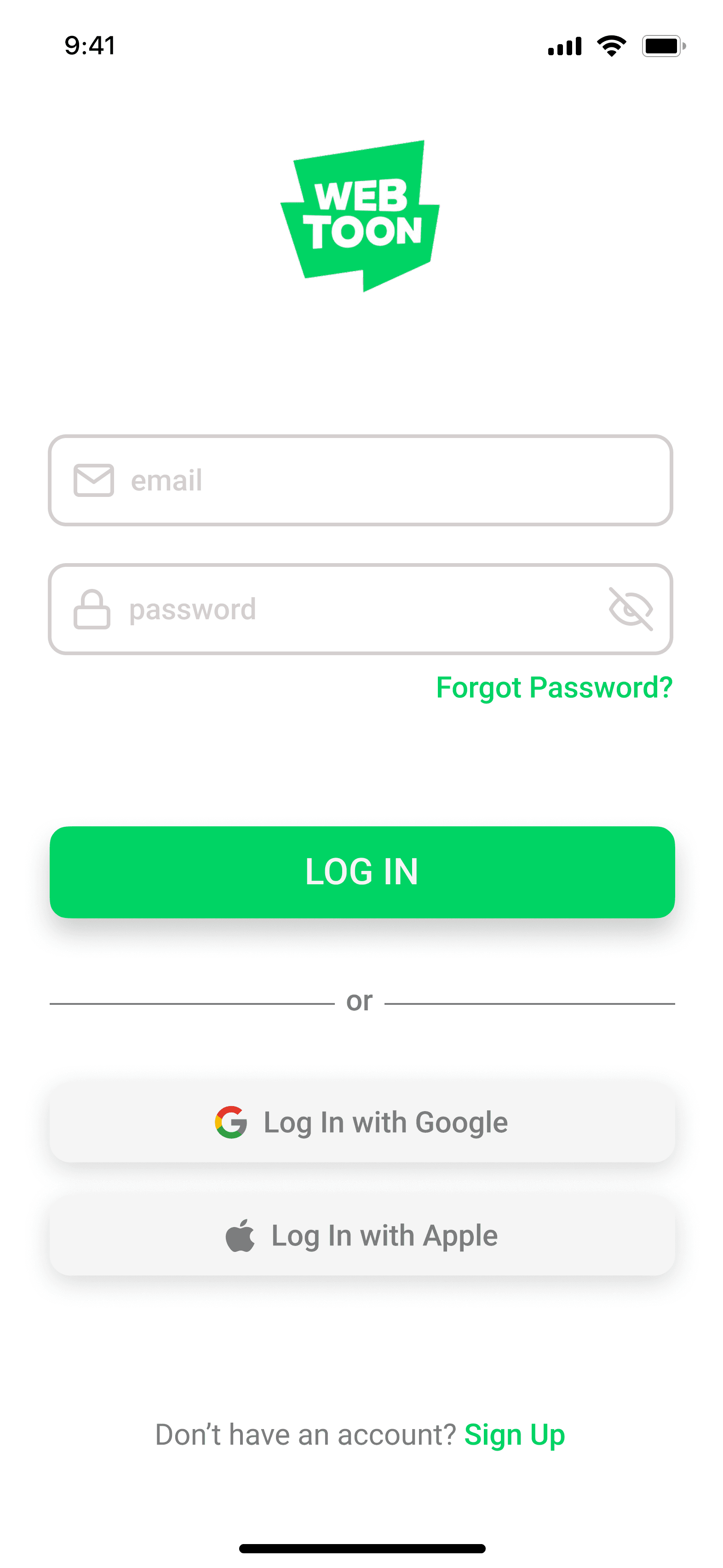
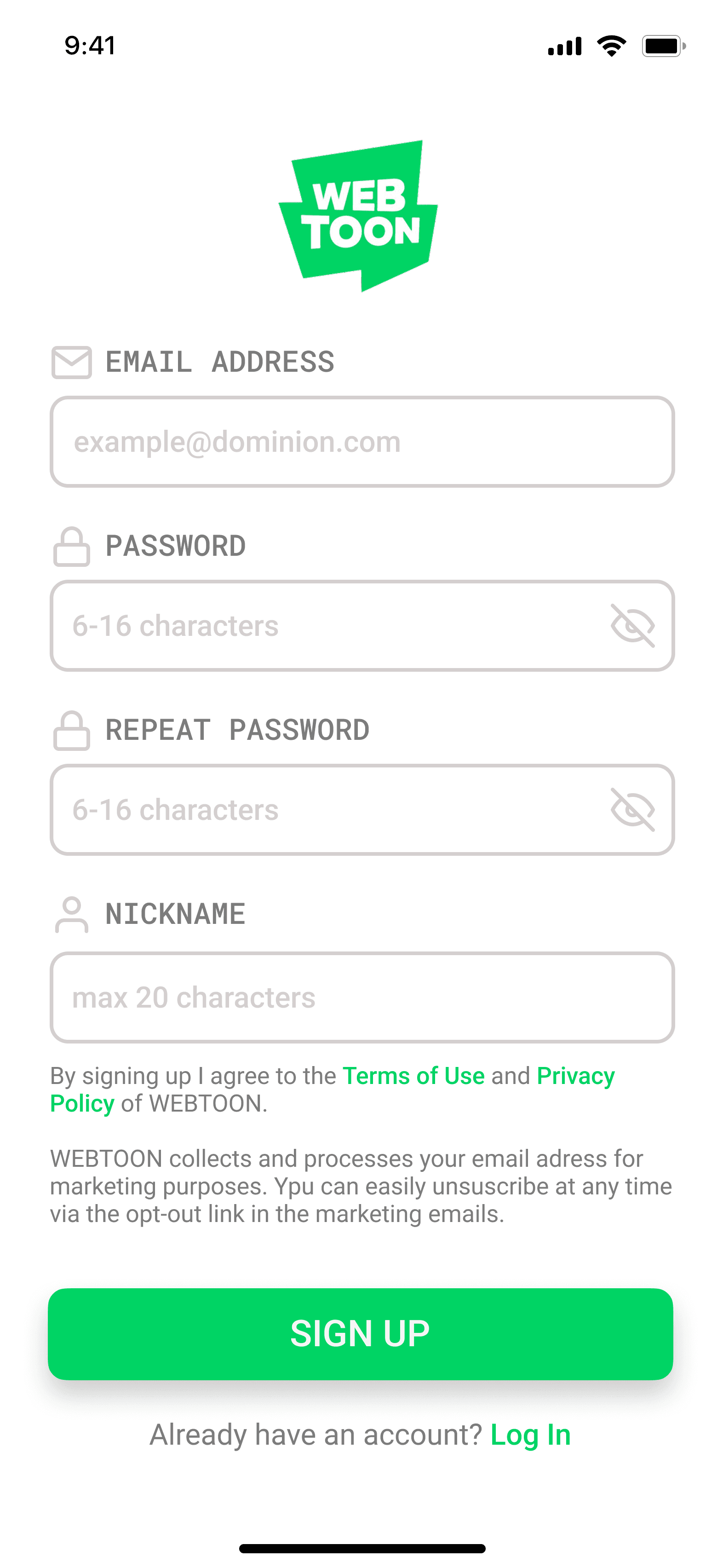
Log in + Sign up
Based on WebToon app, several features were rearranged in order to create a more harmonic and organized display.
#02
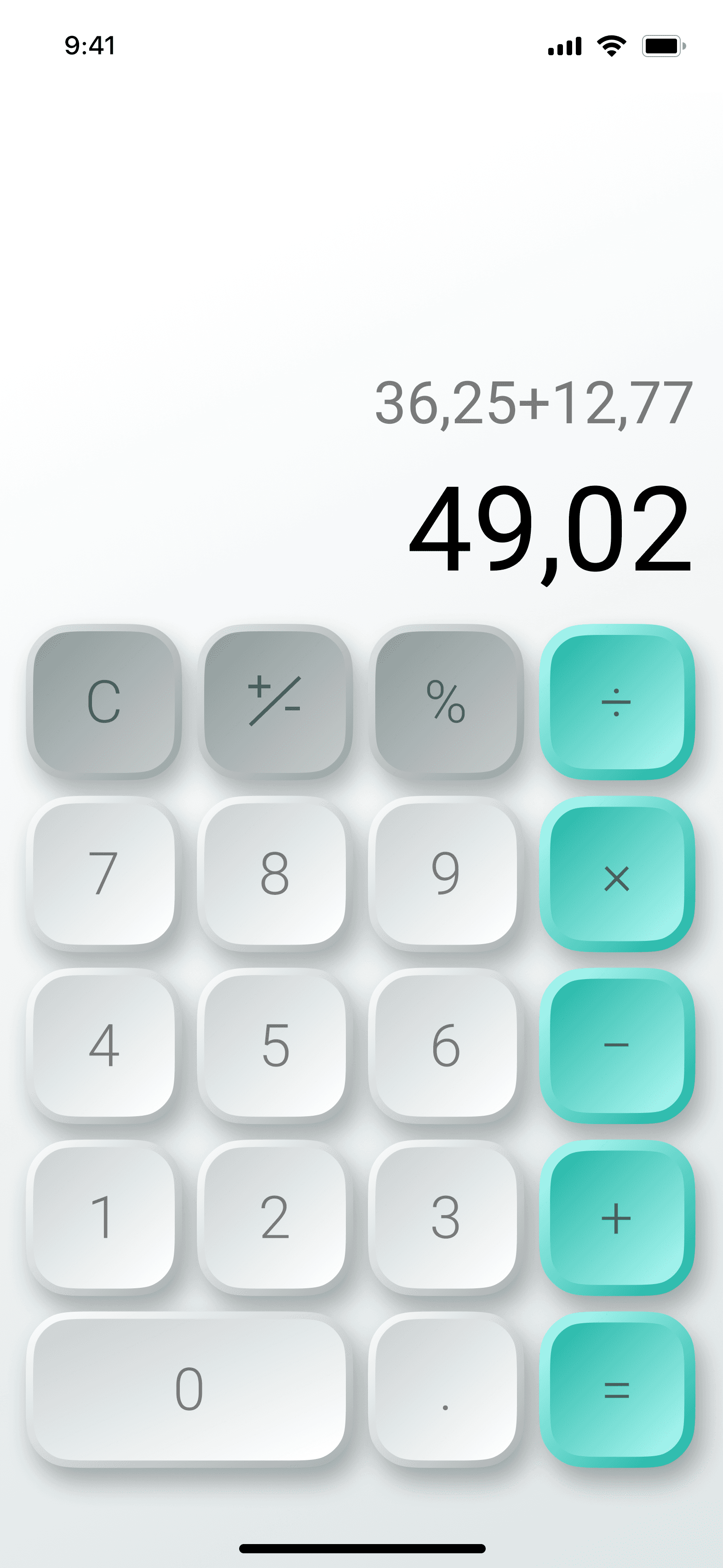
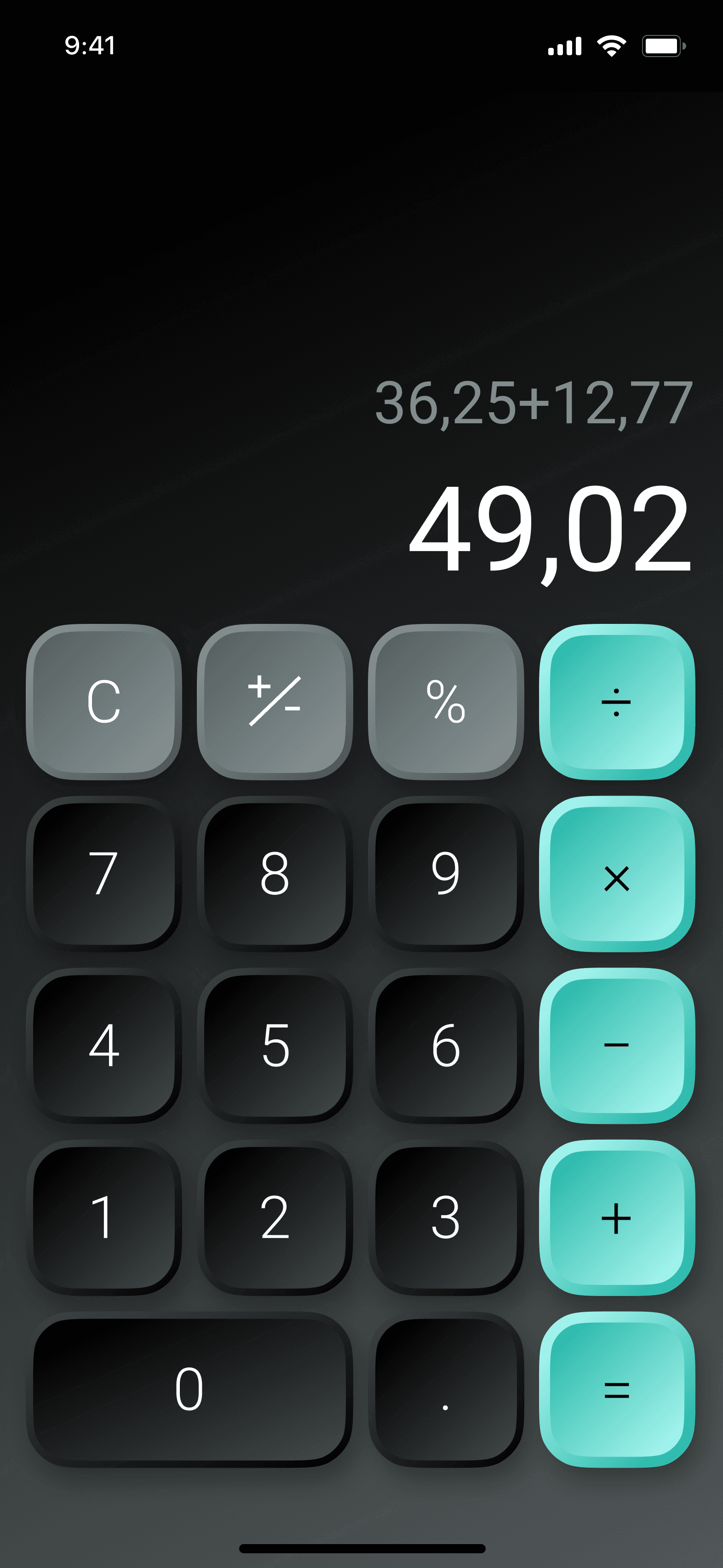
Calculator
In an attempt to design more realistic buttons I used these soft 3D effect both in light and dark mode.
#03
Social Share
Social Share interactive button that opens on hover.
#04
Landing Page
An interactive display of the main products of an e-commerce.
#05
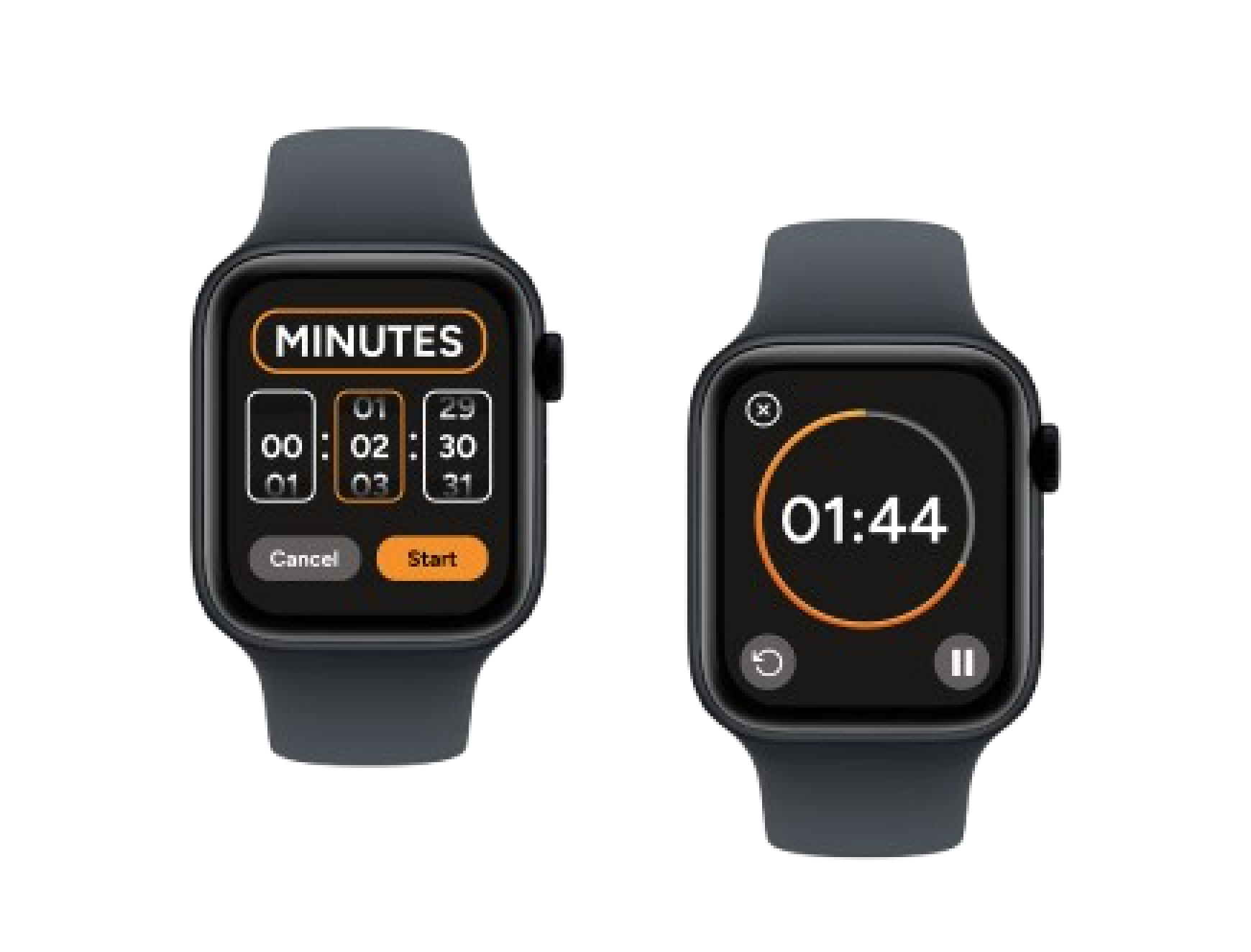
Countdown Timer
Apple Watch design.
#06
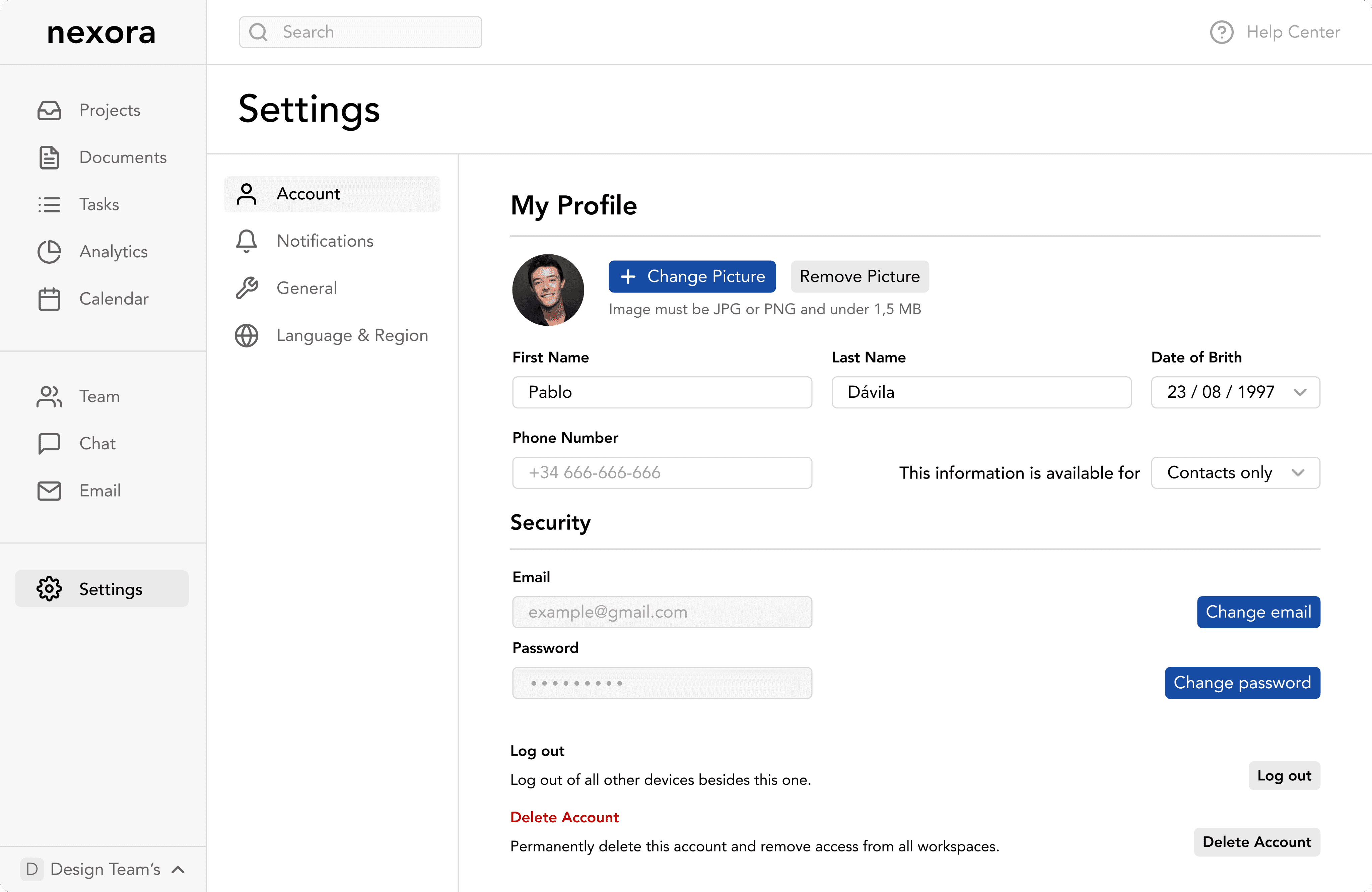
Settings
Profile settings for a company’s employee’s portal.
#07
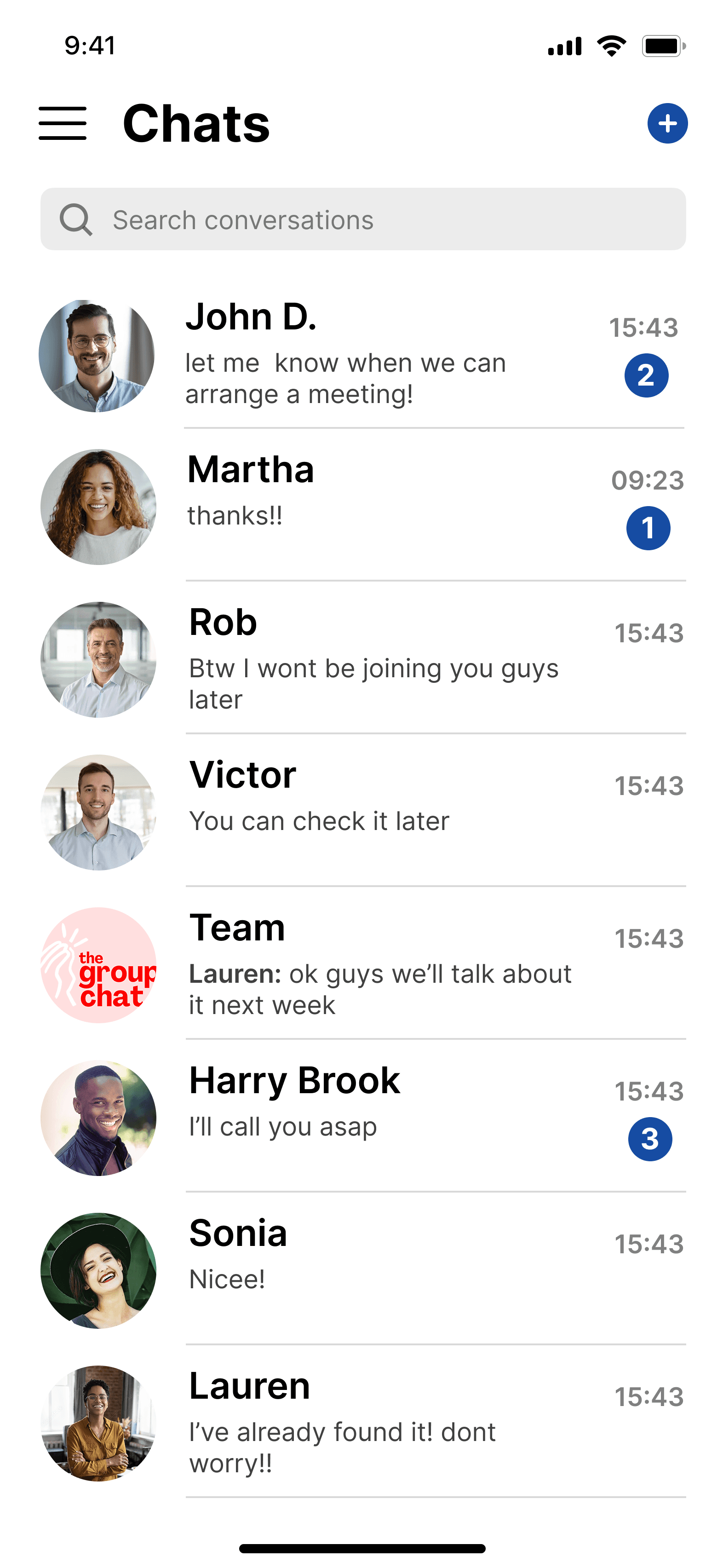
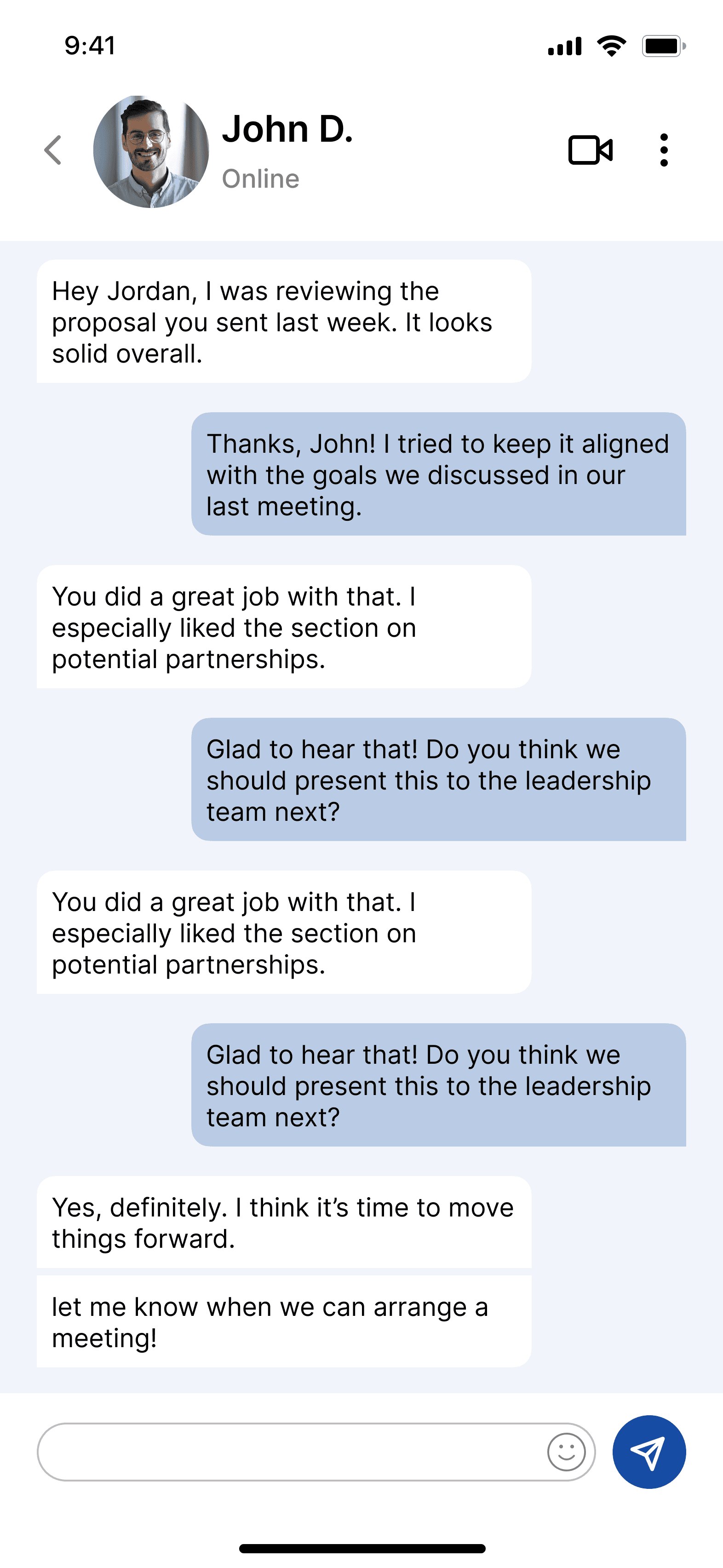
Direct Message
Minimalist Direct Message App.
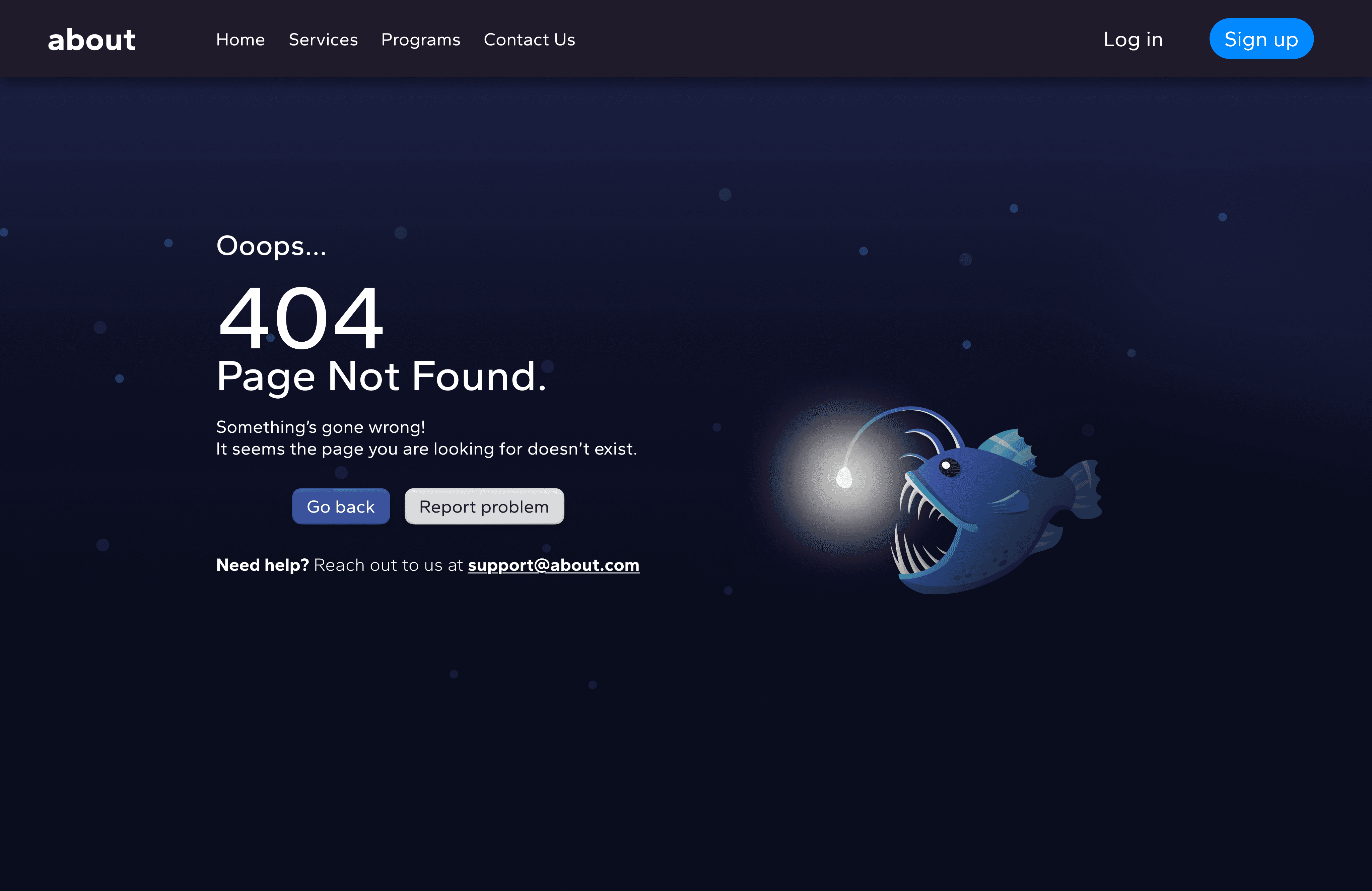
#08
404 Error Page
The depths of the sea was a fun theme for this task. Angler fish made with vectors.
#09
On/Off Switch
With lightning effect.
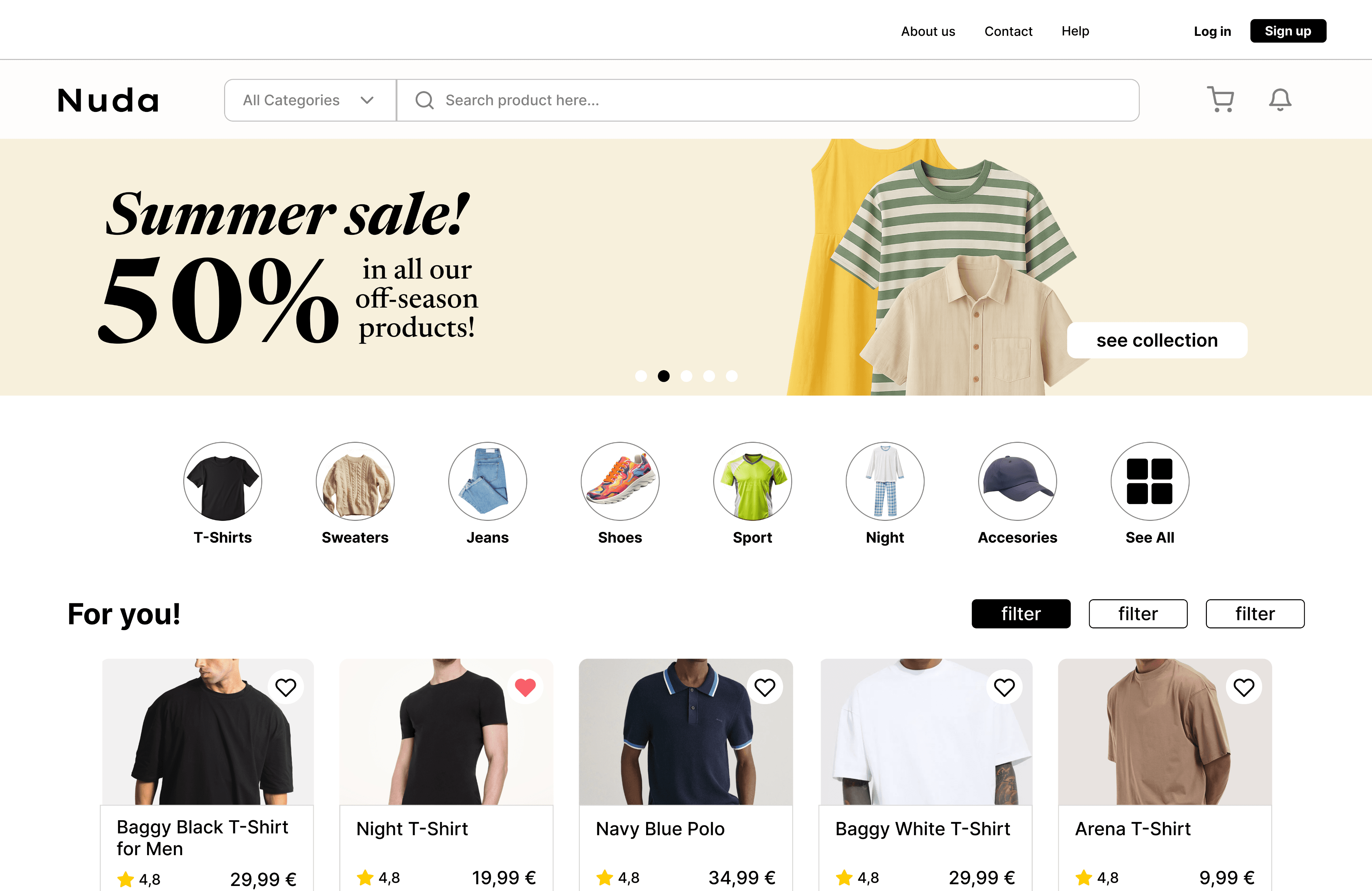
#10
E-Commerce
Clothes e-commerce with advertisements, categories display and recommendations.
#11
Pop-Up Overlay
Calendar notification for work meetings.



#12
Flash Message
Password flash messages.
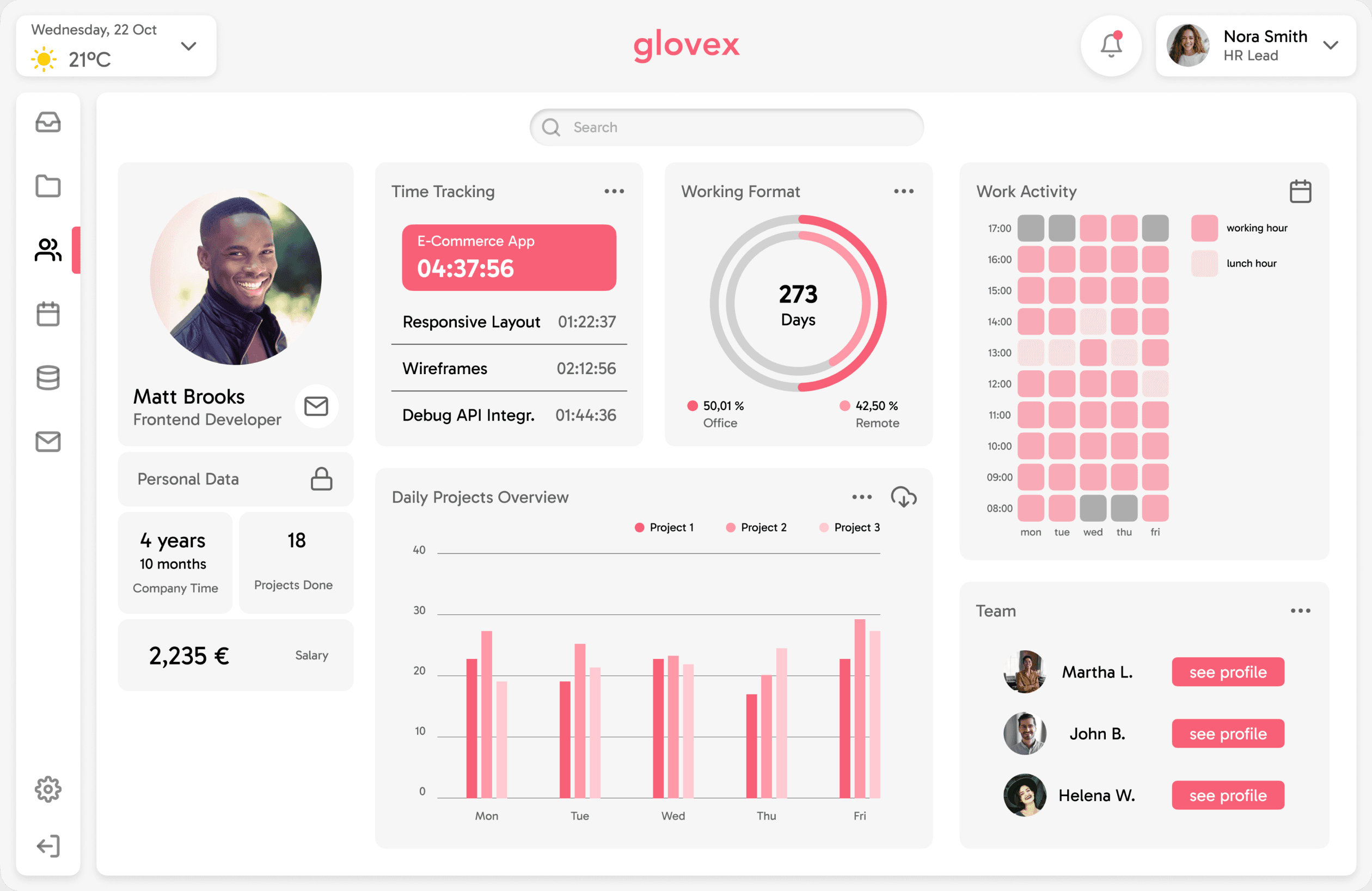
#13
Analytics Chart
Employee staff software with work activity charts.
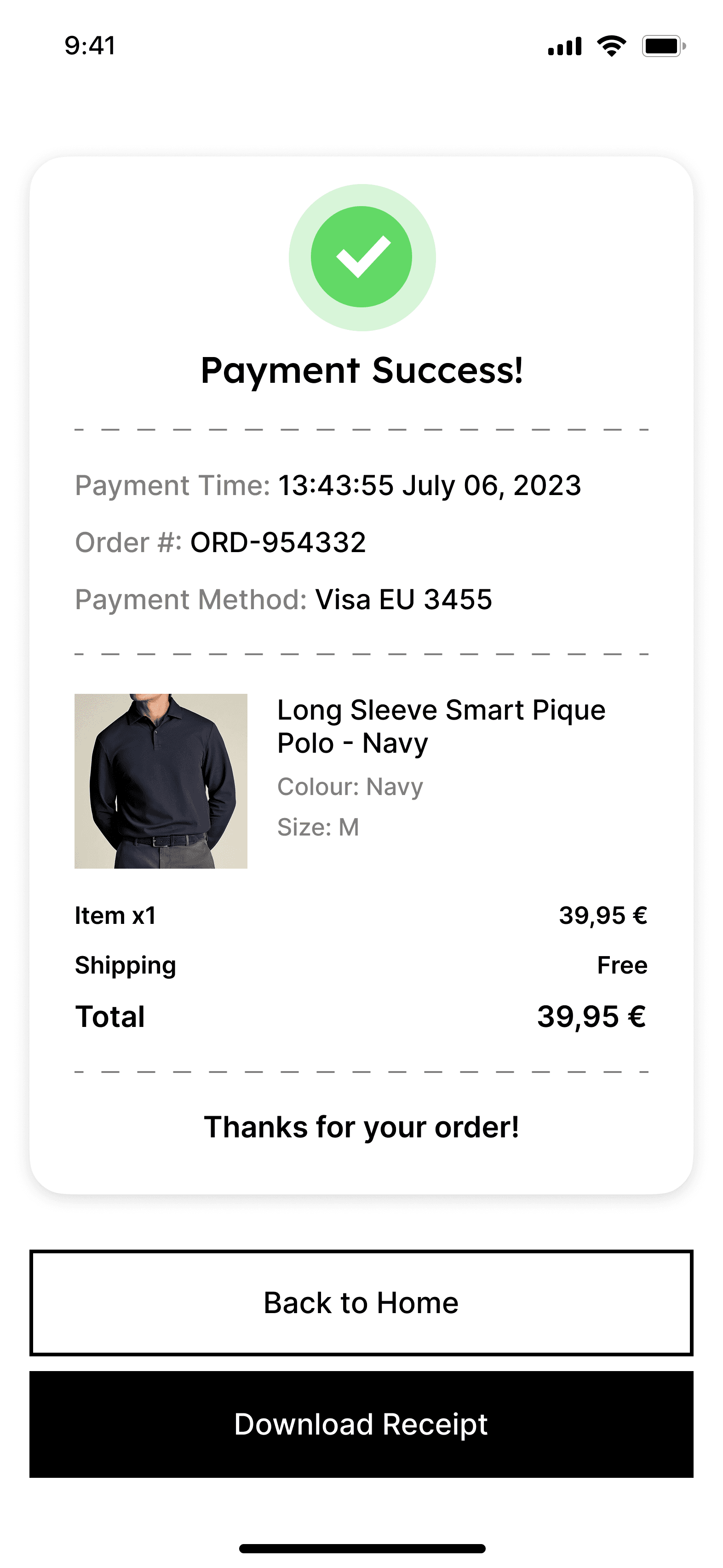
#14
Purchase Receipt
Purchase receipt breakdown.
#15
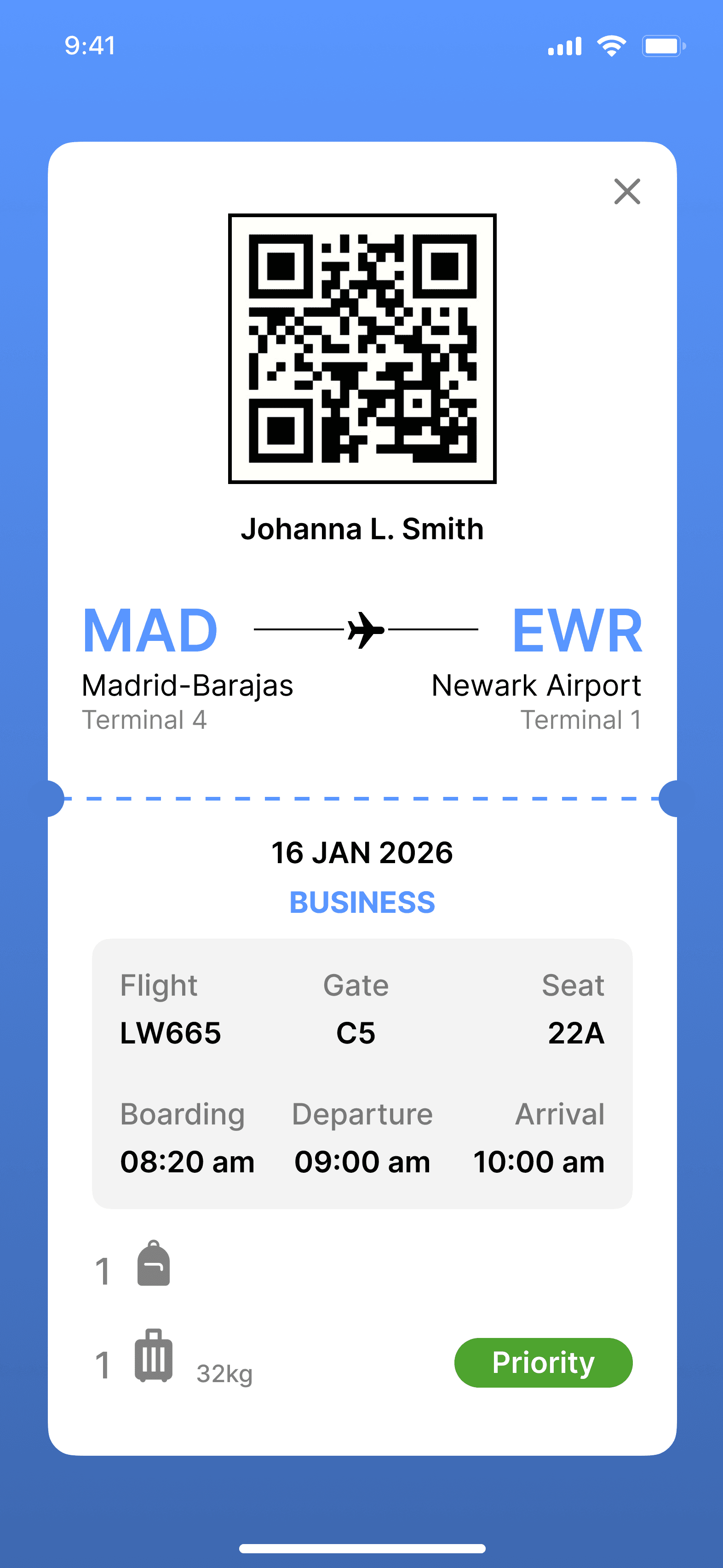
Boarding Pass
Boarding pass with flight details.
#17
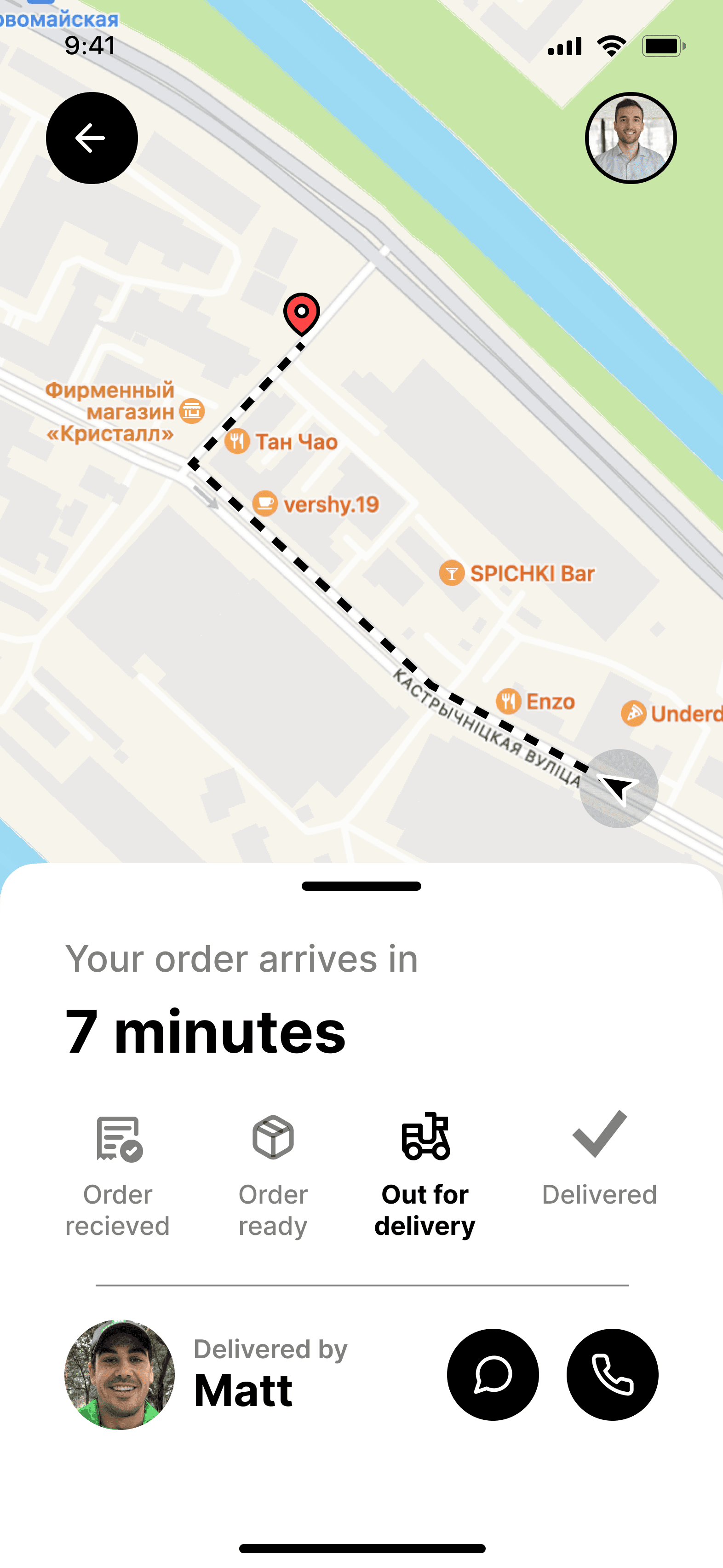
Location Tracker
Maps App simple design.
#18
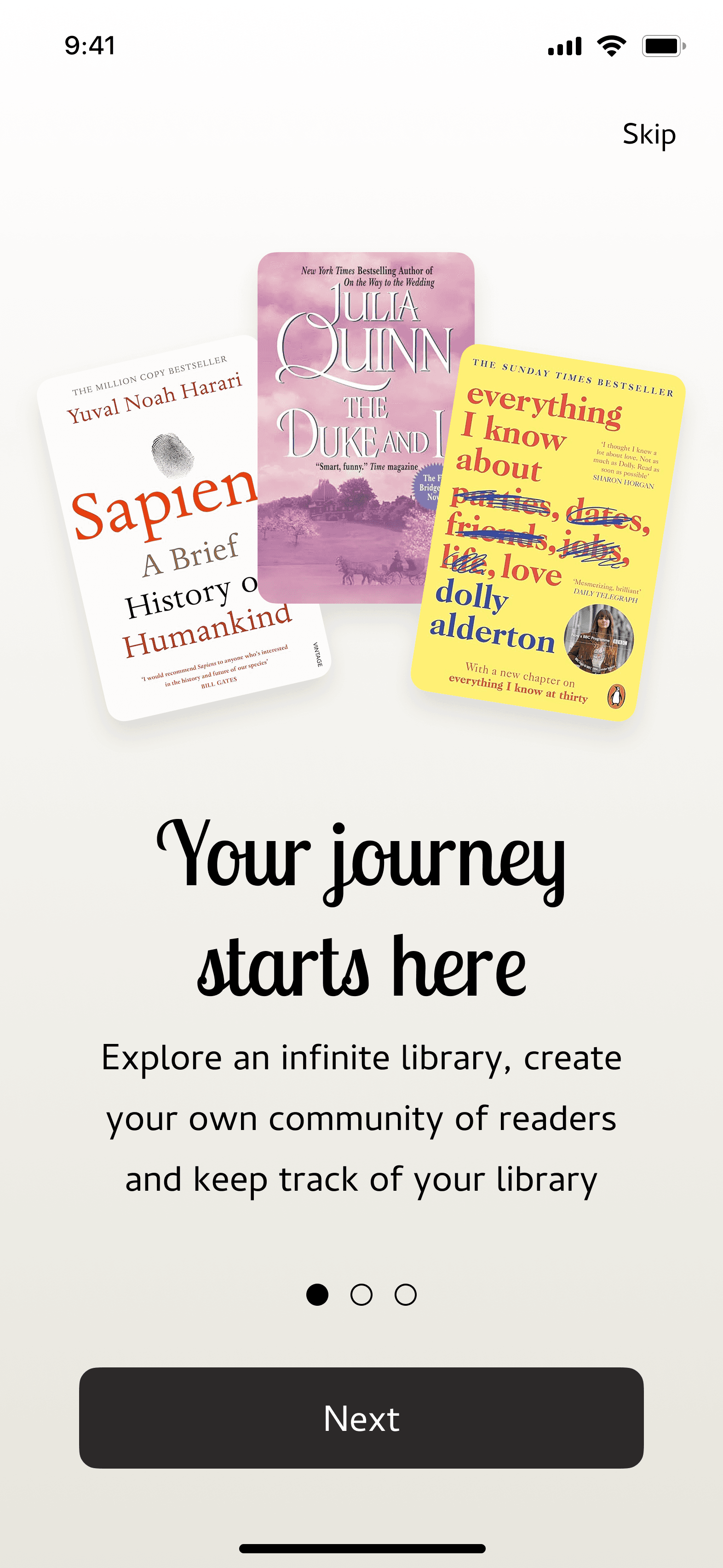
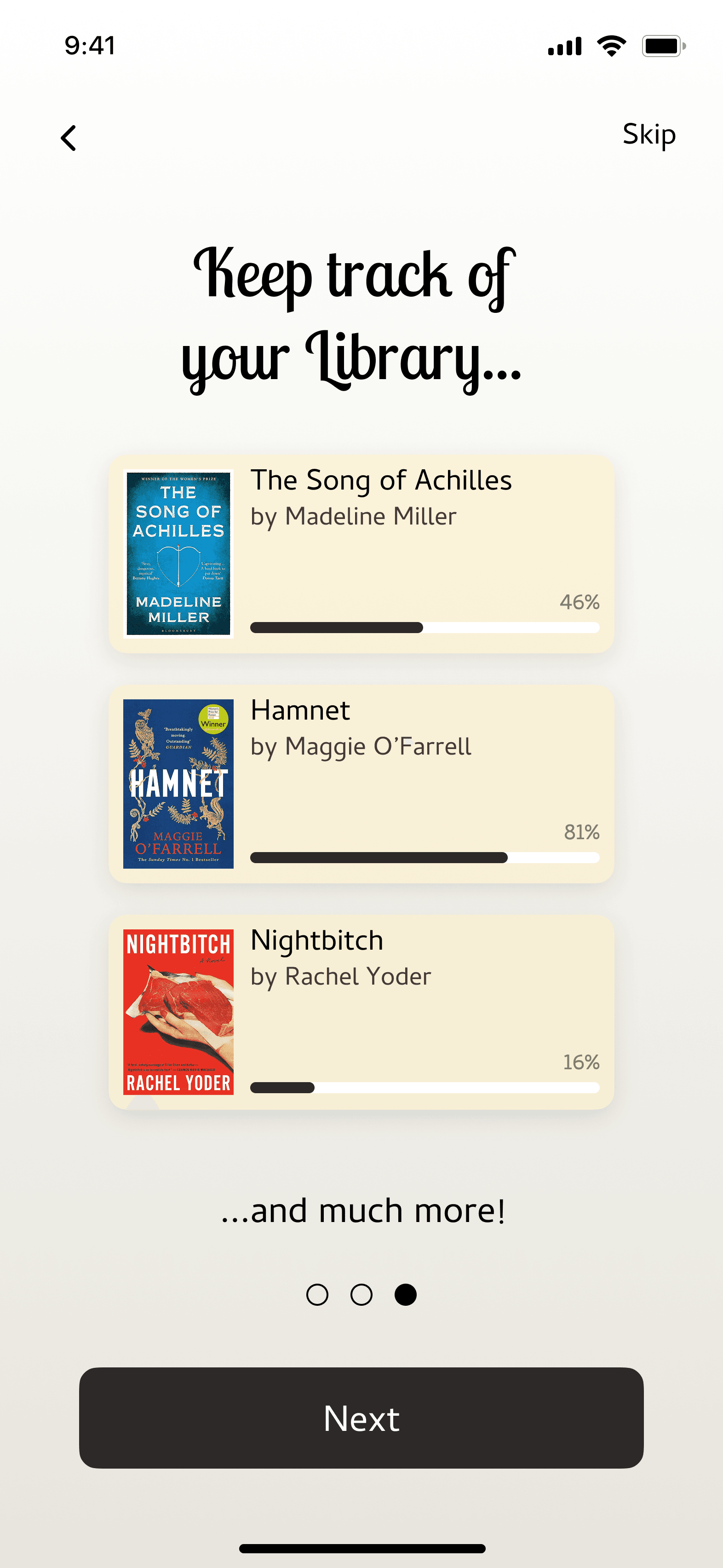
Onboarding
Reading App Onboarding presenting some of the features.
#16
App Icon
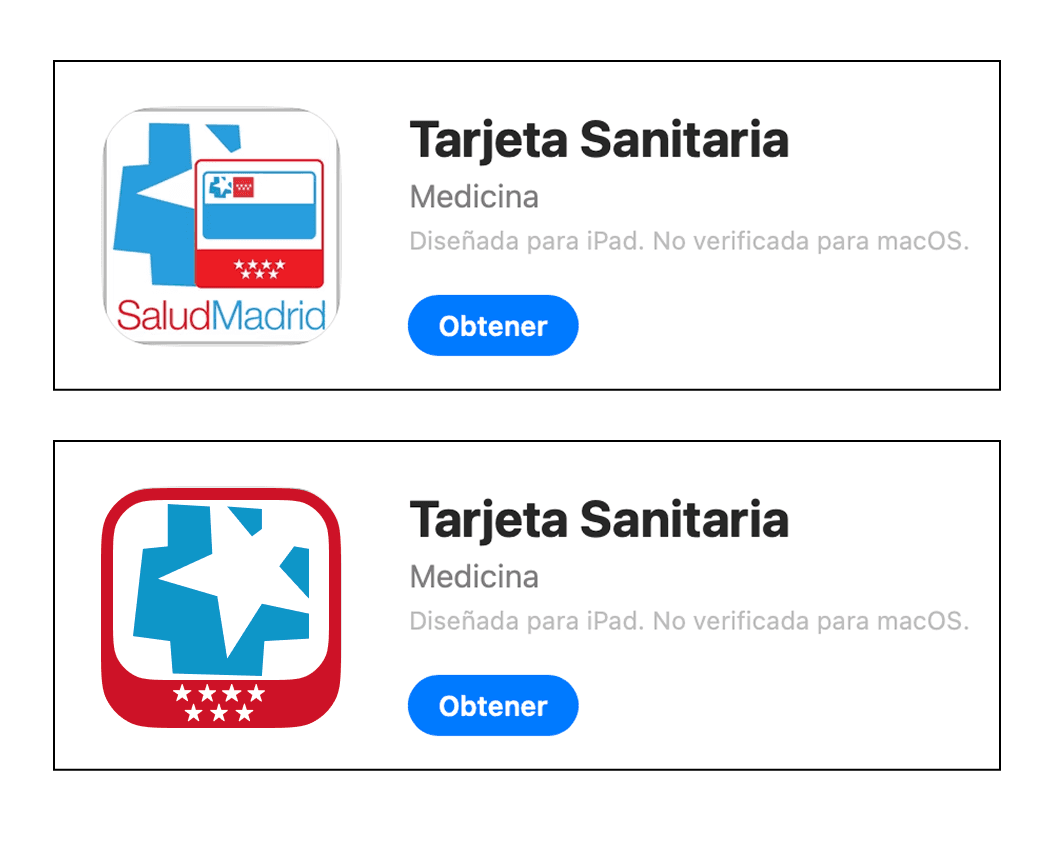
A redesign of Madrid’s Healthcare App.

#21
TV App
Streaming TV app with filters and movies' display.
#19
Search Bar
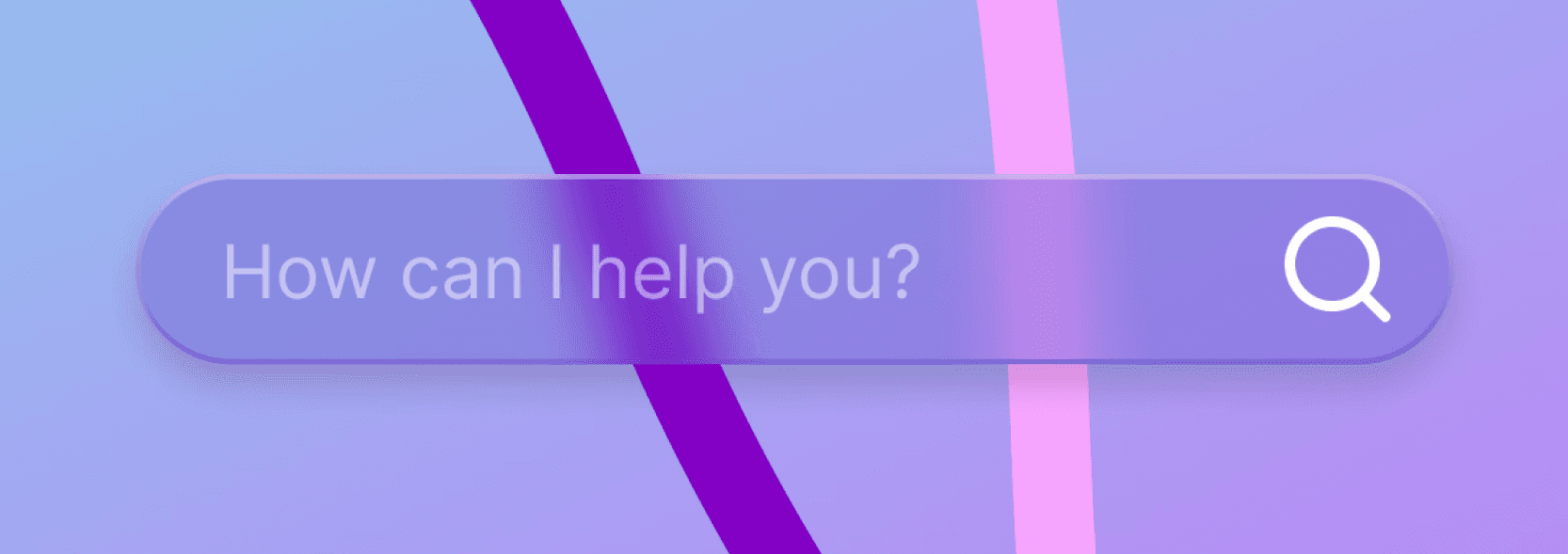
Made with transparencies.
#20
Home Monitoring Dashboard
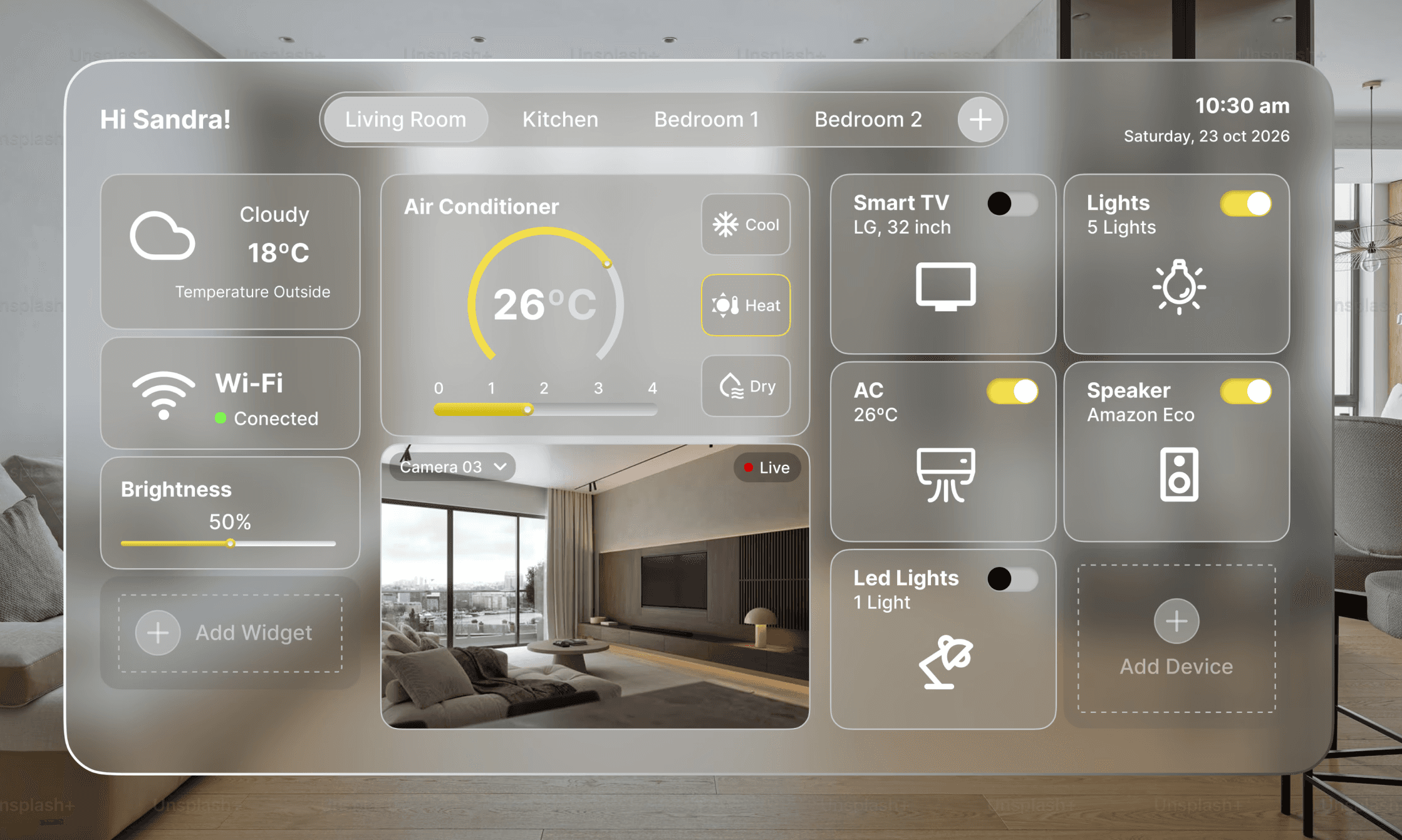
Fully equipped minimalist dashboard designed for a smart glass display.
#24
User Profile
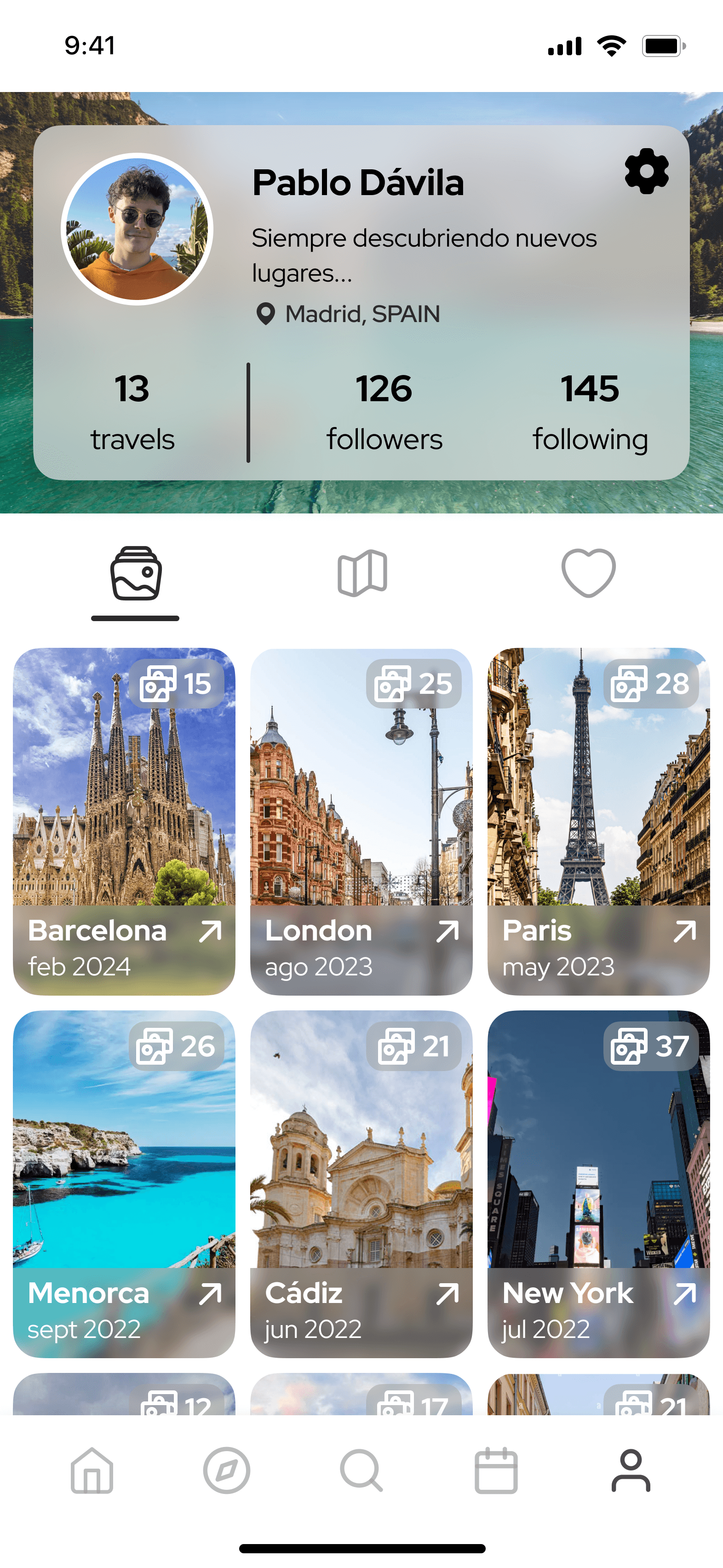
User Profile for those who love to share their adventures with a community of travelers.
#23
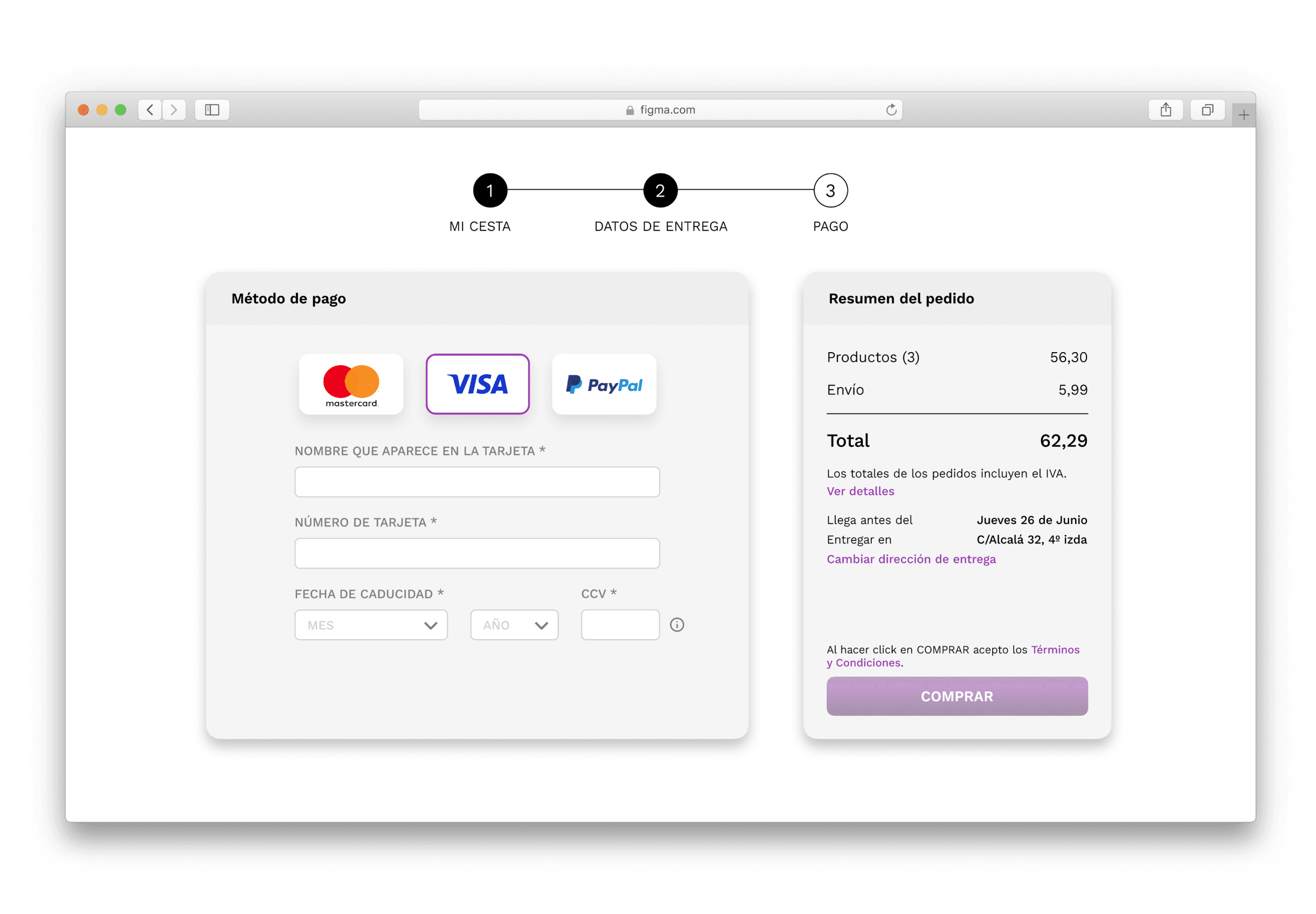
Checkout
Credit card checkout with different payment options, a progress bar and the order summary.
#22
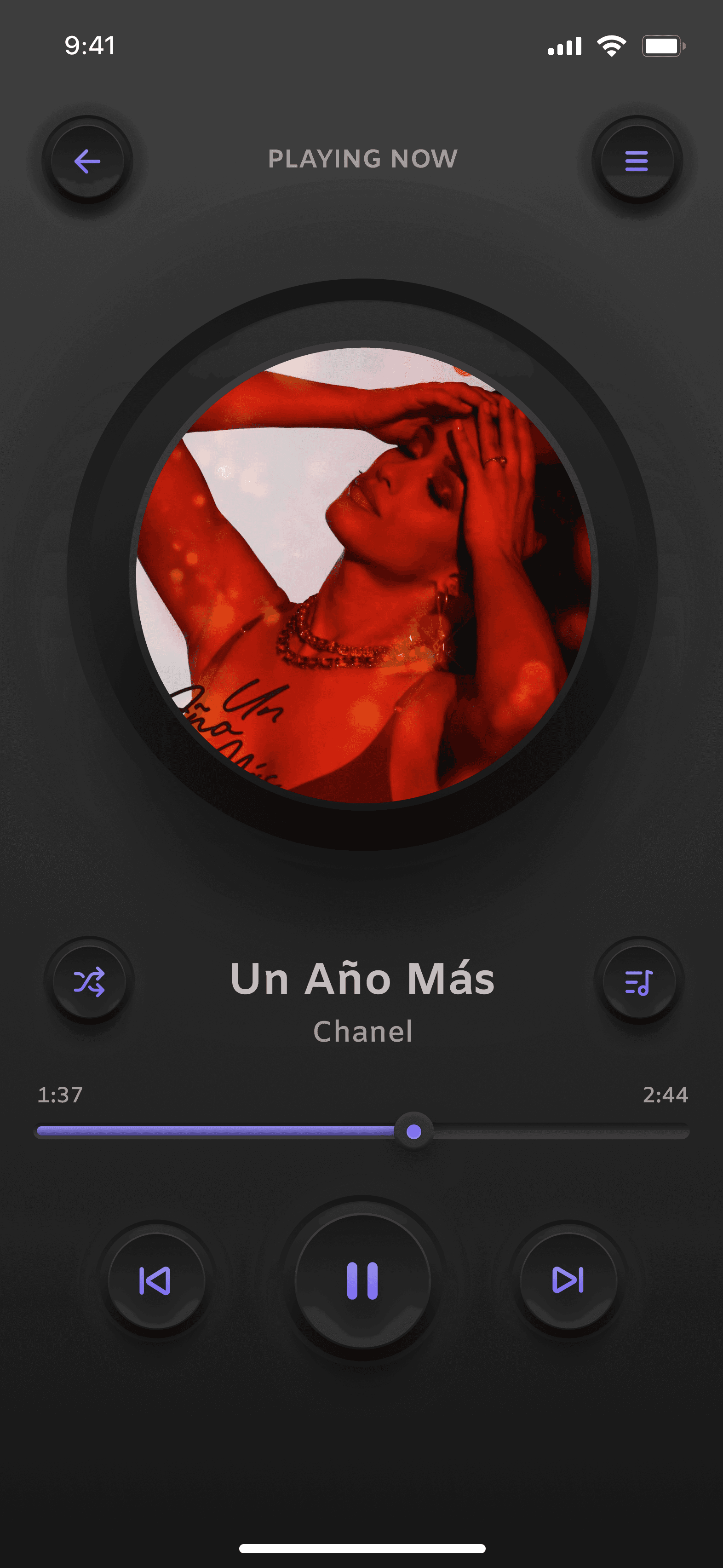
Music Player
Music Player design with 3D and textures effects.
#25
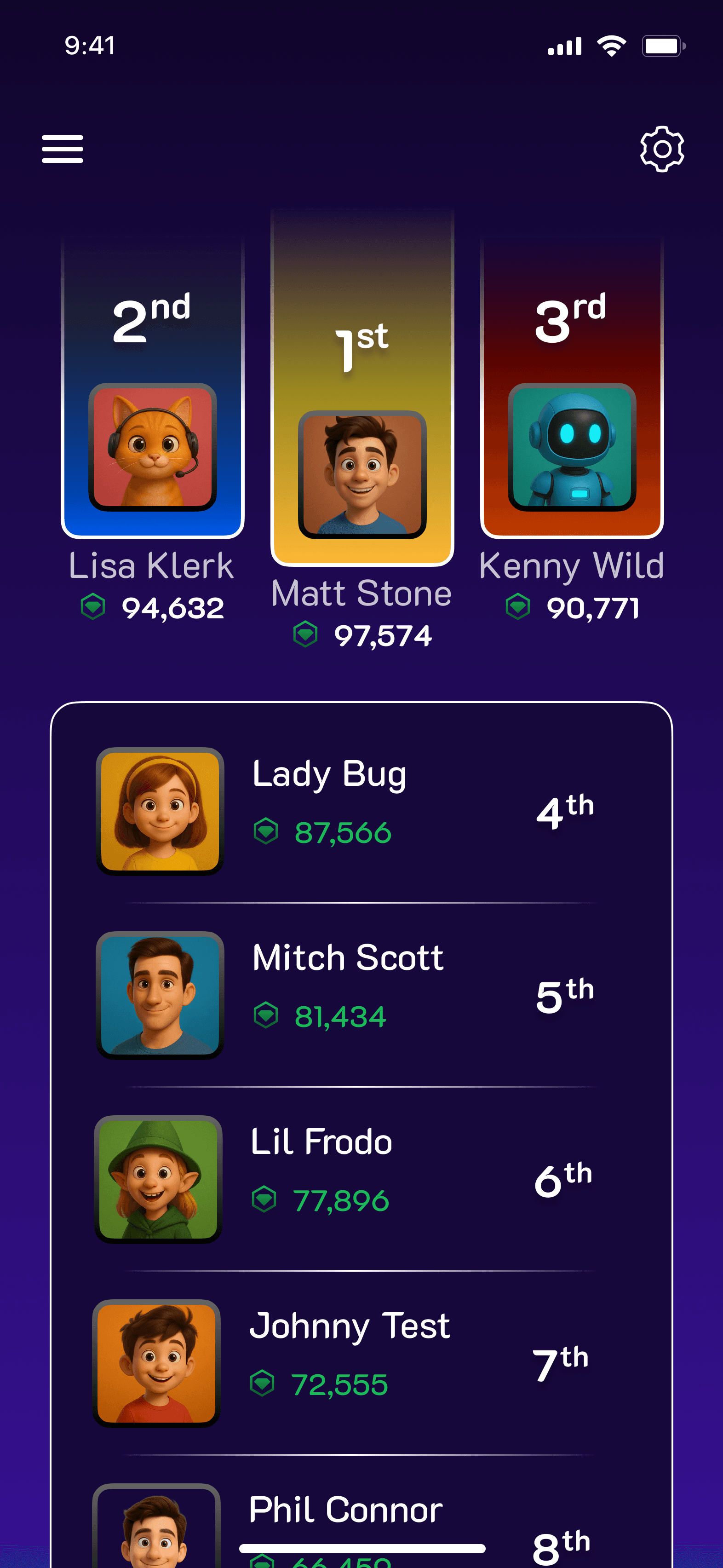
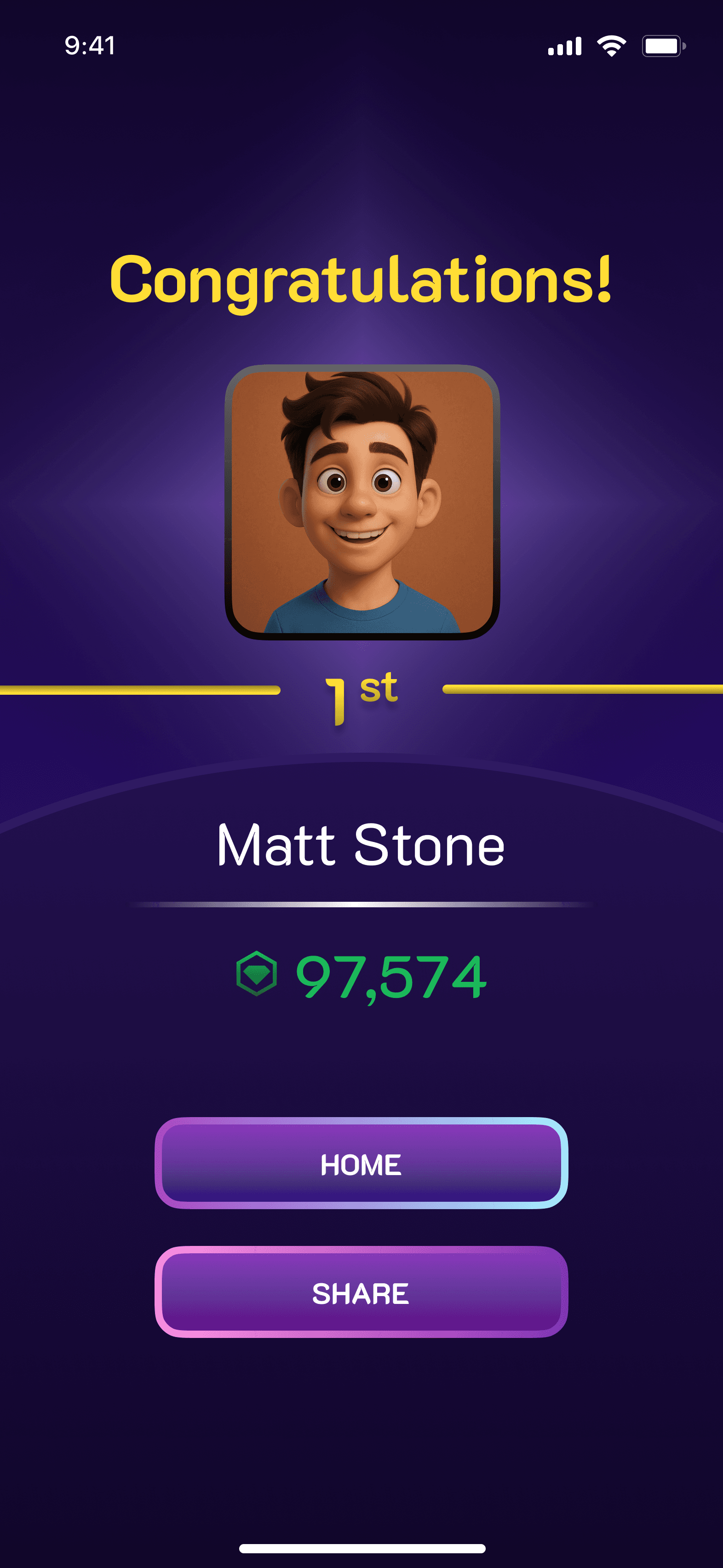
Leaderboard
Gaming app leaderboard.
#01
Log in + Sign up
Based on WebToon app, several features were rearranged in order to create a more harmonic and organized display.
#02
Calculator
In an attempt to design more realistic buttons I used these soft 3D effect both in light and dark mode.
#03
Social Share
Social Share interactive button that opens on hover.
#04
Landing Page
An interactive display of the main products of an e-commerce.
#05
Countdown Timer
Apple Watch design.
#06
Settings
Profile settings for a company’s employee’s portal.
#07
Direct Message
Minimalist Direct Message App.
#08
404 Error Page
The depths of the sea was a fun theme for this task. Angler fish made with vectors.
#09
On/Off Switch
With lightning effect.
#10
E-Commerce
Clothes e-commerce with advertisements, categories display and recommendations.
#11
Pop-Up Overlay
Calendar notification for work meetings.
#12
Flash Message
Password flash messages.
#13
Analytics Chart
Employee staff software with work activity charts.
#14
Purchase Receipt
Purchase receipt breakdown.
#15
Boarding Pass
Boarding pass with flight details.
#17
Location Tracker
Maps App simple design.
#18
Onboarding
Reading App Onboarding presenting some of the features.
#16
App Icon
A redesign of Madrid’s Healthcare App.
#21
TV App
Streaming TV app with filters and movies' display.
#19
Search Bar
Made with transparencies.
#20
Home Monitoring Dashboard
Fully equipped minimalist dashboard designed for a smart glass display.
#24
User Profile
User Profile for those who love to share their adventures with a community of travelers.
#23
Checkout
Credit card checkout with different payment options, a progress bar and the order summary.
#22
Music Player
Music Player design with 3D and textures effects.
#25
Leaderboard
Gaming app leaderboard.
Pablo Dávila
Pablo Dávila